Atelier is a studio that plans a project and works in real design software. It is free to use with free AI services, or fully on your own computer.
Free public preview · Now available
The early preview includes project planning, concept plans and moodboards, live modelling in IngeTrazo, Bottega team mode on your office network, and Mission Control for your own computer. Tailscale support is coming soon.
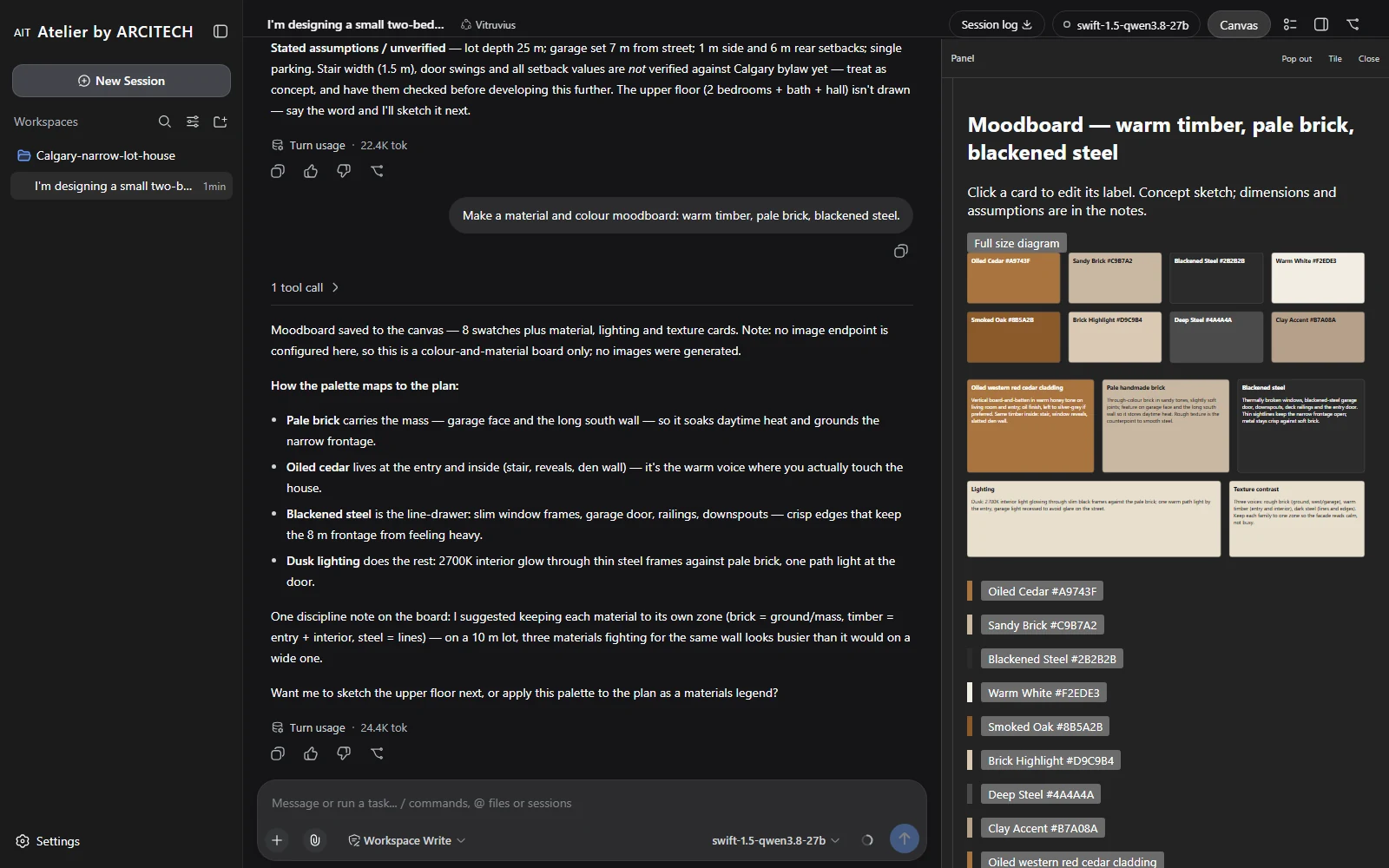
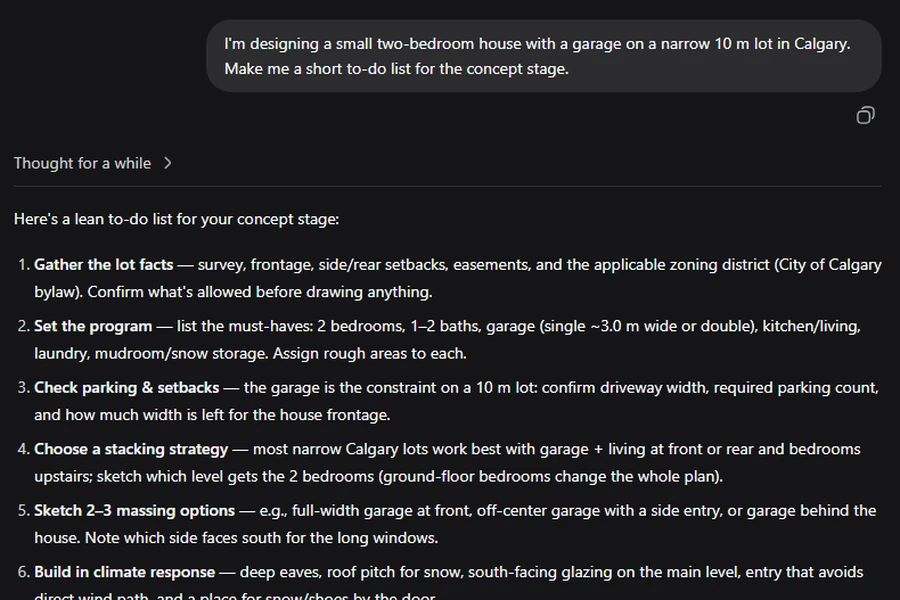
The workspace, in the previewA real session in the release build: Vitruvius plans a narrow-lot house in the chat and saves a material and colour moodboard to the canvas beside it. No image service was connected, so the board is colour and material cards.
Who it is for
Made for designers
01
Architects
From a written brief to a first model, plans and a board you can talk a client through.
02
Interior designers
Plans, moodboards and views kept consistent with one another, room by room.
03
Students and small practices
A studio assistant that costs nothing to use and runs on a computer you already have.
How a project moves
From brief to board
A brief becoming a to-do list, in the release build.01
Brief
Your brief becomes a to-do list you can read and change. Nothing is guessed in one go.
In the preview
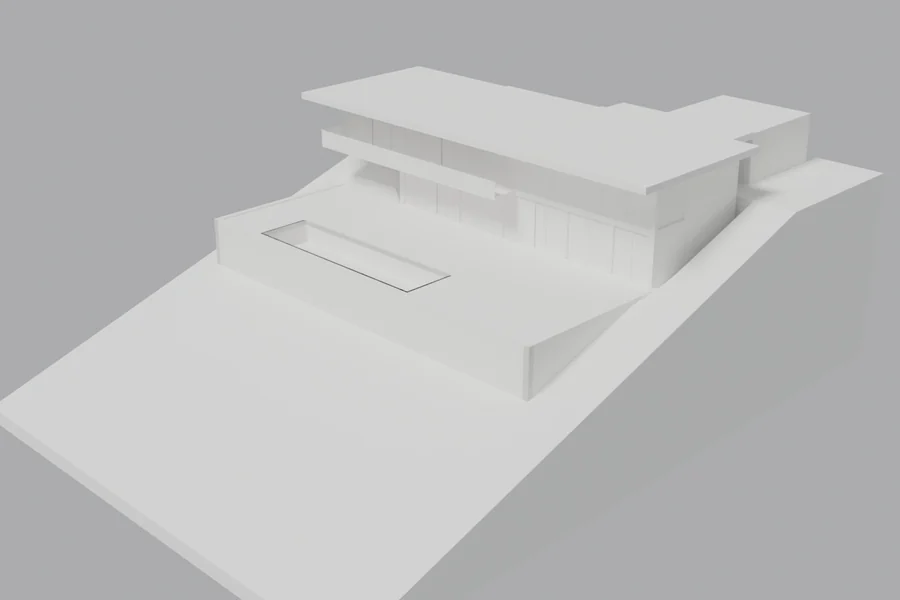
Hillside House, built step by step on the real site slope.02
Model
With IngeTrazo connected, the house is modelled step by step and stays visible while it is built.
In the preview
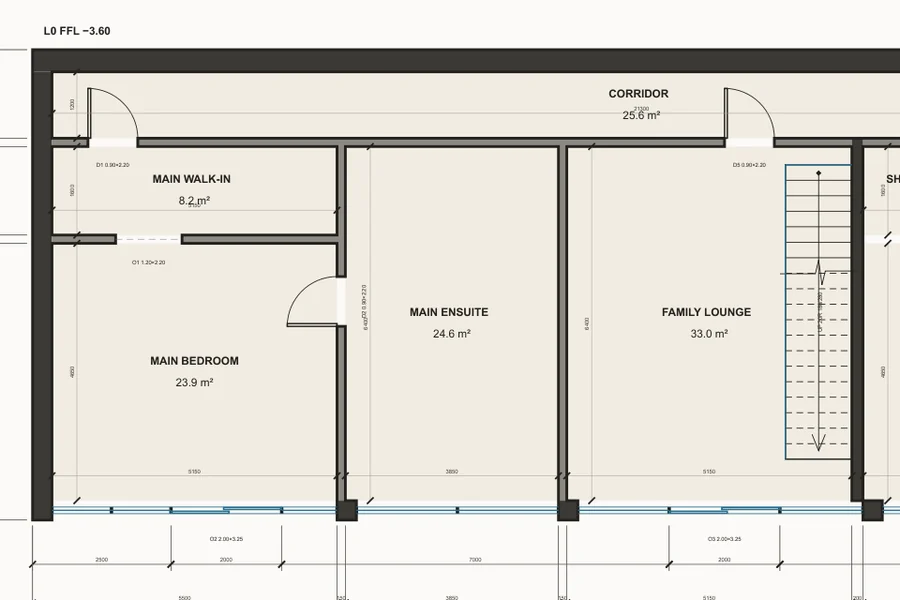
The bedroom level, drawn and checked in our studio.03
Drawings
Plans and elevations drawn as vector linework from the model: measured, to scale, and printable at any size. The geometry never moves.
Later
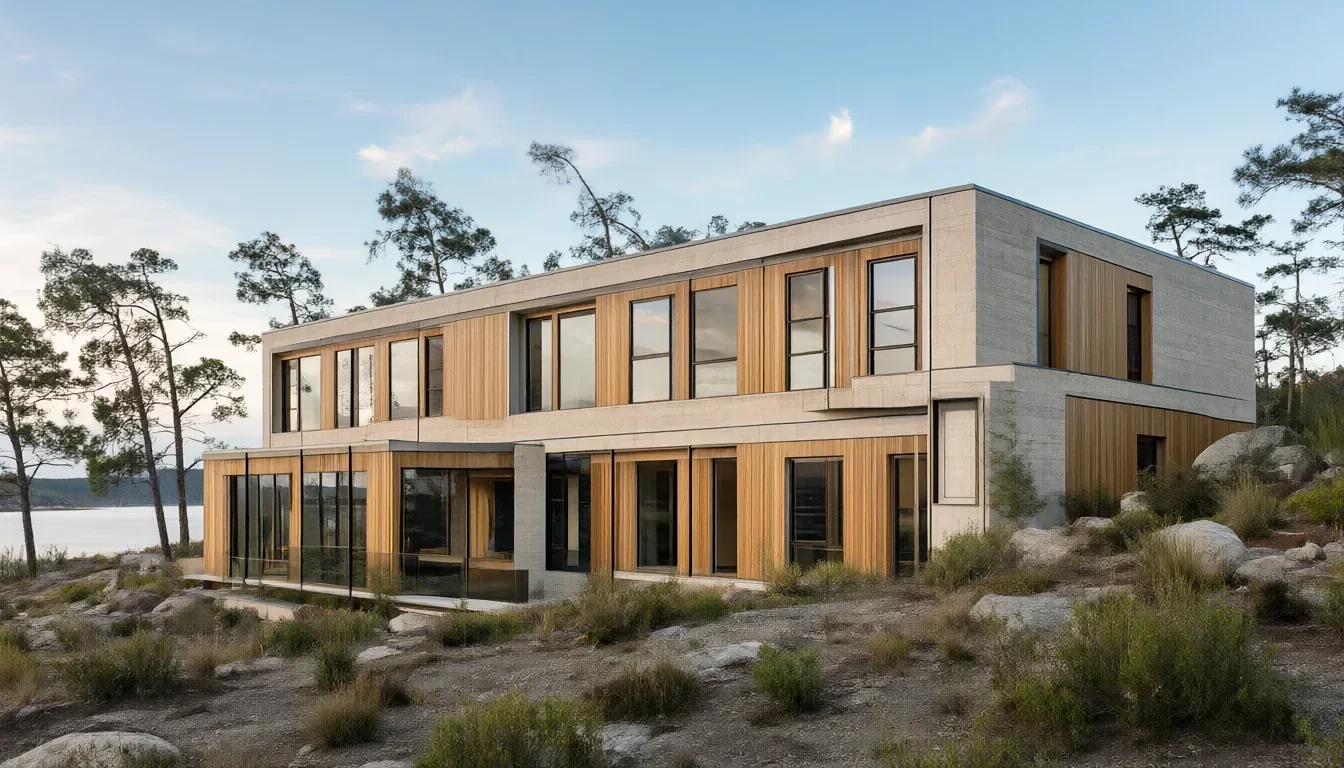
A photoreal view from our studio.04
Renders
Exterior and interior views made from the same model, so they agree with the drawings.
Later
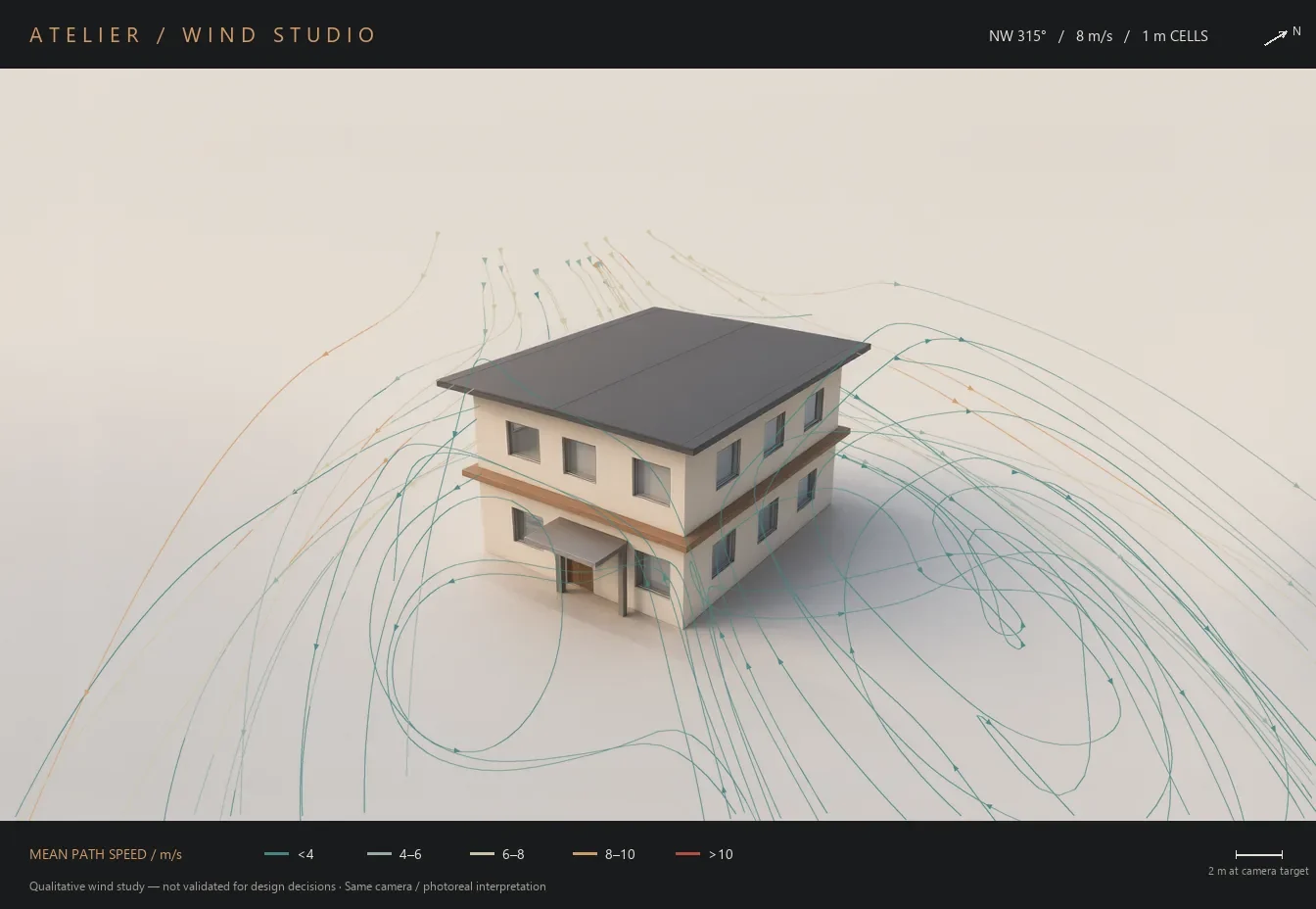
A qualitative wind study from our studio.05
Wind
When you ask, a wind study laid over the model so you can see how air moves around the building. Early design guidance, not engineering.
Later
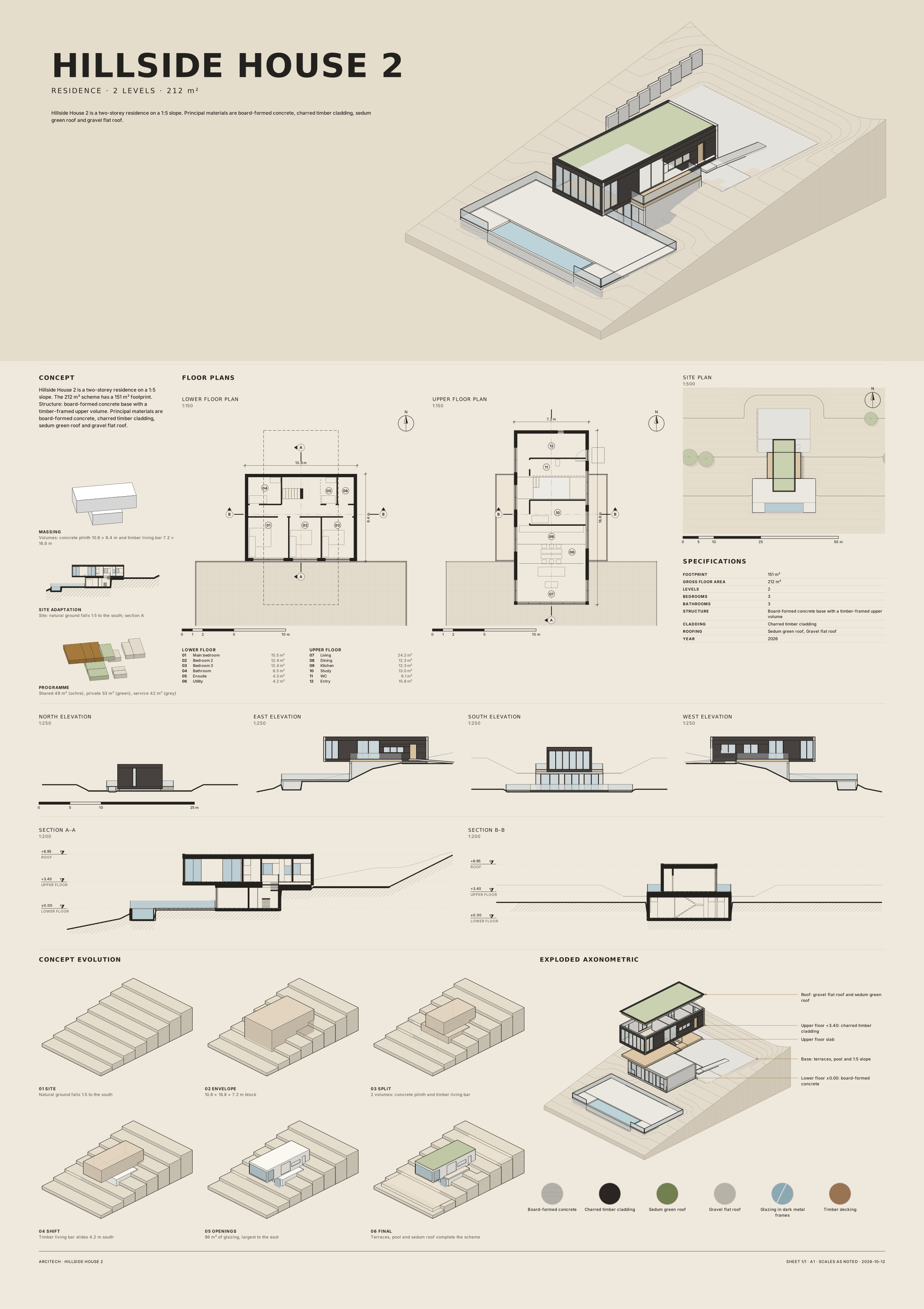
A vector board from our studio.06
Board and web page
Drawings, views and materials composed into a vector presentation board and a web page you can share.
Later
The first two steps are in the public preview. The others follow once each one is proven.
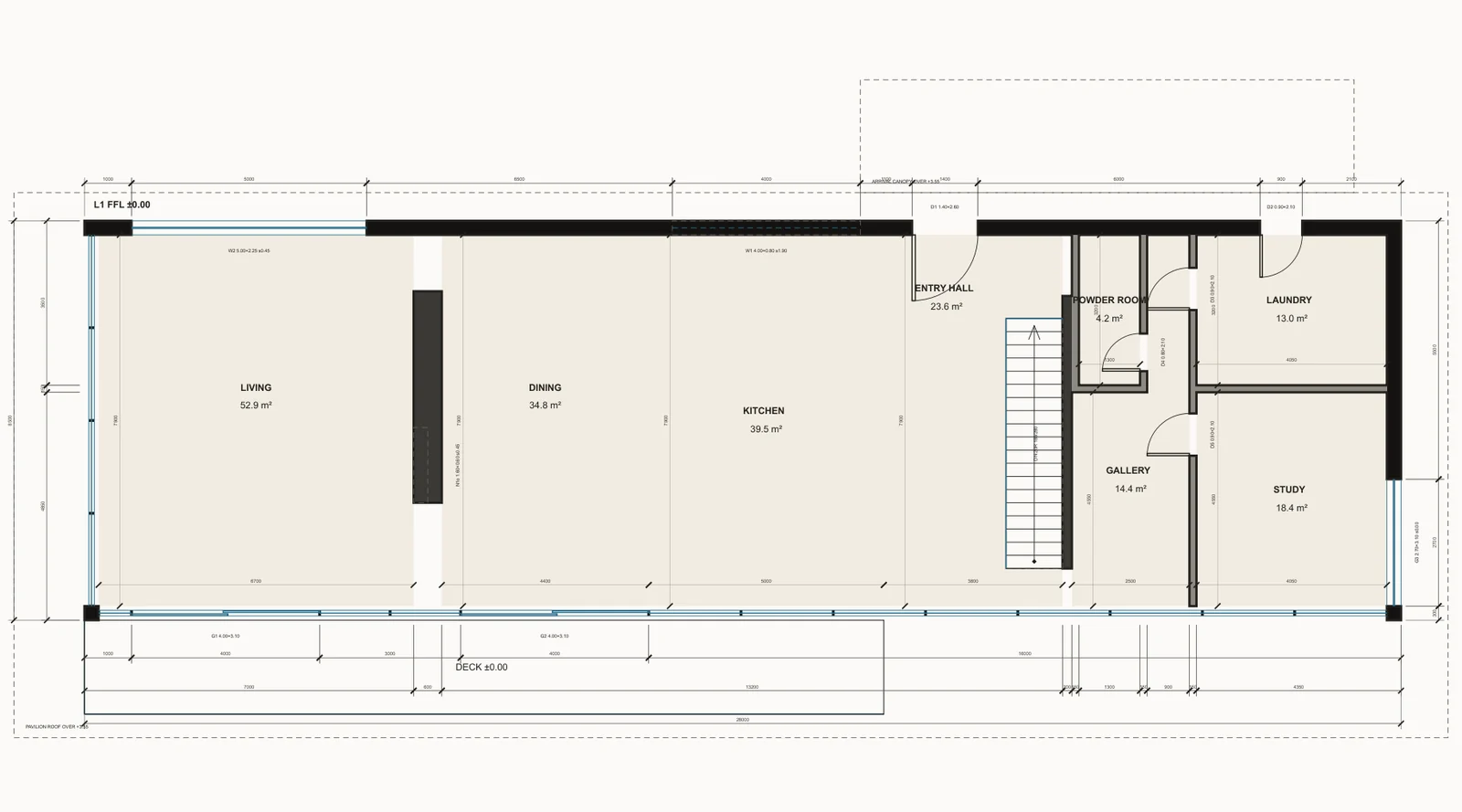
Drawn and checked · 1:100
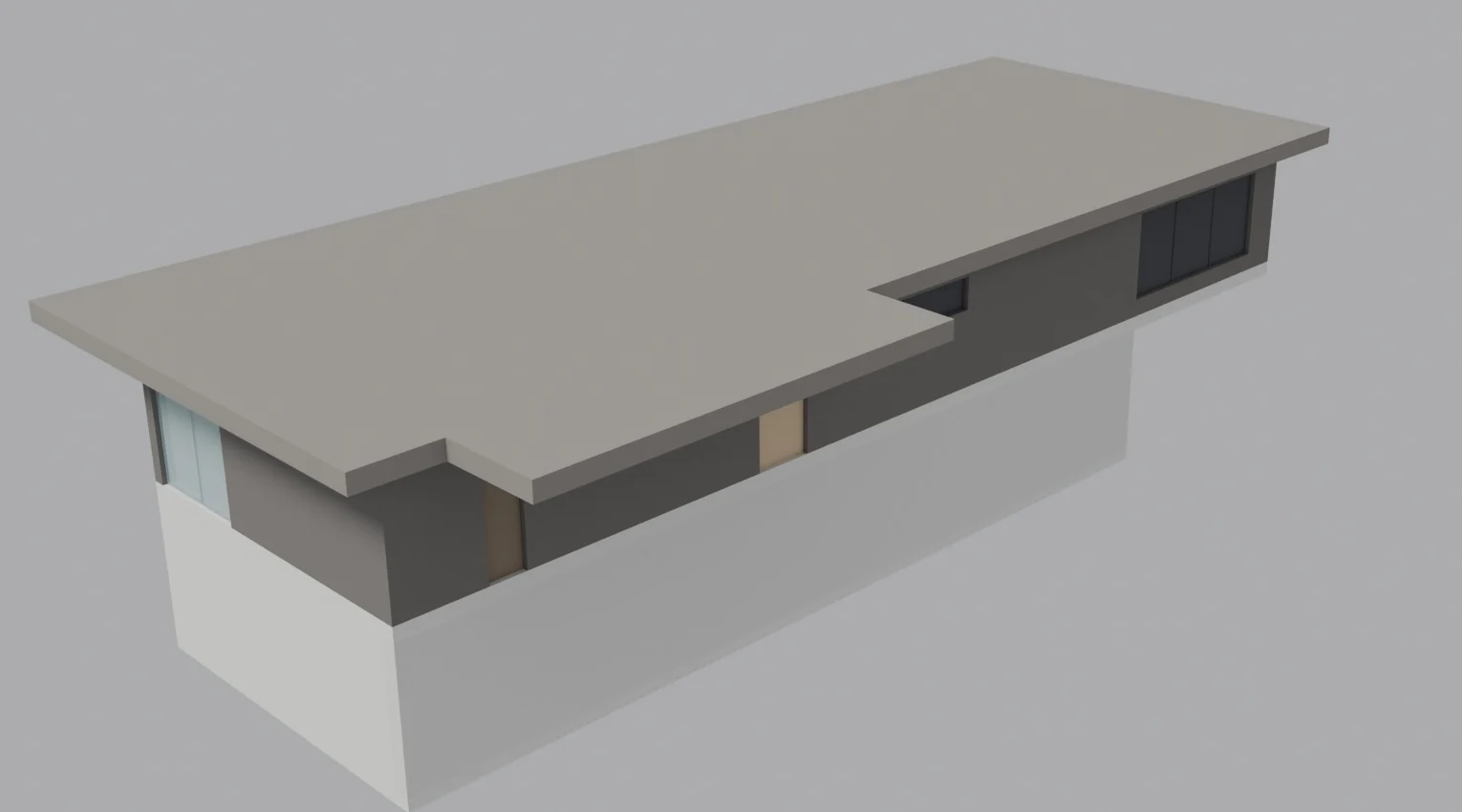
Built from the drawing · 3D
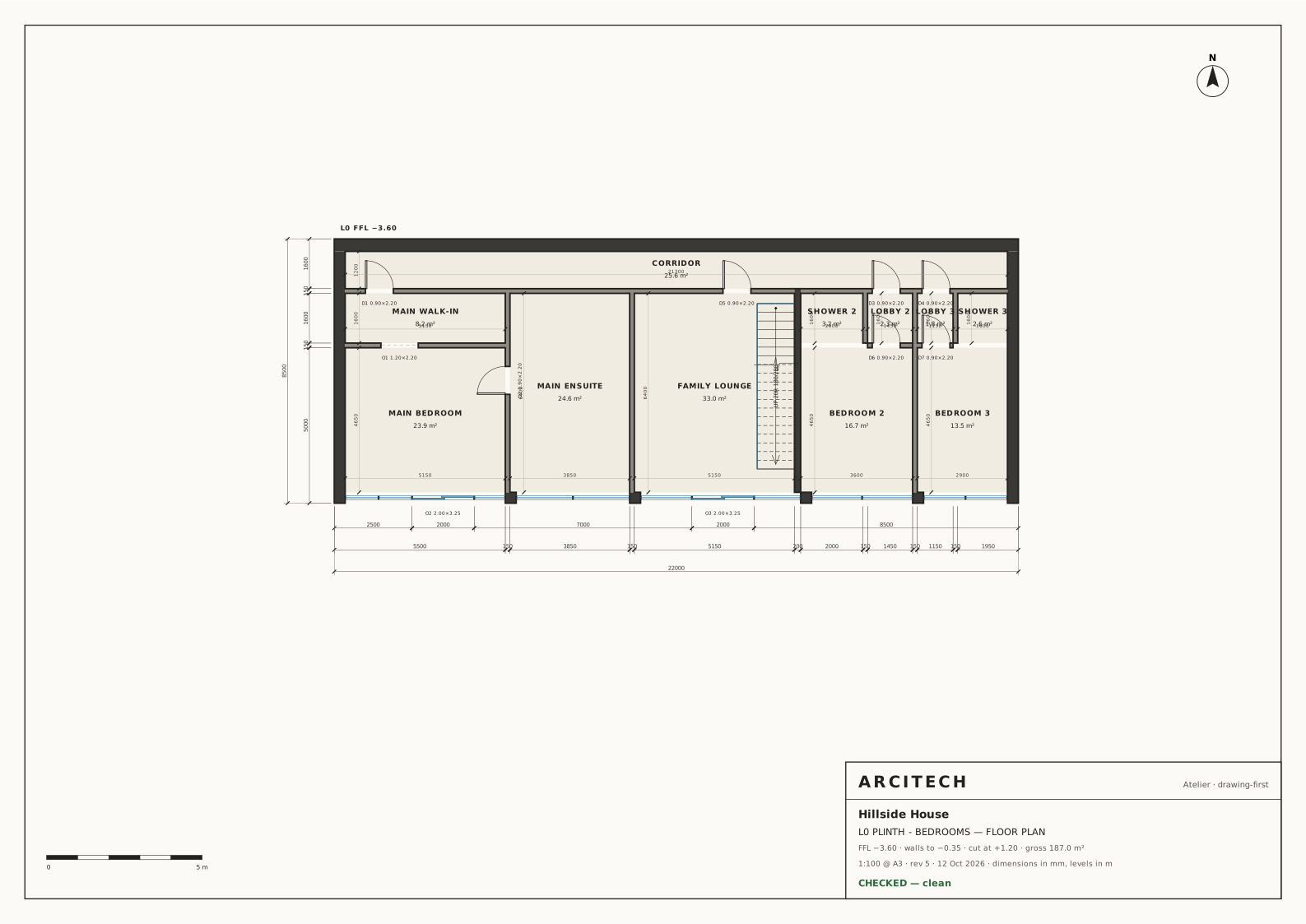
Hillside House, drawn first and then builtA run in our studio: a local model drew the street level of a hillside house on layers, checked it and fixed it until the check came back clean (revision 10), then built the 3D model from that drawing. The brief was written by us; the drawing and the 3D model were made by the AI model, running on our own computer.
The design profile that ships with the preview: design help, concept plans on a canvas, and material and colour moodboards. A lighter Vitruvius Zero starts on smaller models, with the stock profiles from the harness alongside.
02
The IngeTrazo connector
Atelier can model live in IngeTrazo, the open-source push/pull architecture modeller by Marco Sumari Tellez and contributors (GPL-3.0). IngeTrazo is installed separately and is never bundled with Atelier.
03
Documentation
A README, a quick-start guide, a setup walkthrough, full credits and the licence, all published with the release.
Bottega lets a team use one Atelier across an office network. Tailscale support is coming soon. Mission Control shows activity on your own computer.
Starts on as little as one 16 GB graphics card: on one card the models take turns, each loading when its job comes up; more cards or a model server keep them loaded side by side.
Not in the preview: drawings and boards to scale, renders, wind studies and web pages, the image-to-3D studio work, voice, the tablet app, and plugin uploads (Trazo Fabrication first). Each follows once it has been tested.
Drawings and boards
To scale, in vector
Drawings and boards from Atelier are vector linework taken from the model: measured, CAD-accurate and printable at any scale. We do not show image-made drawings.
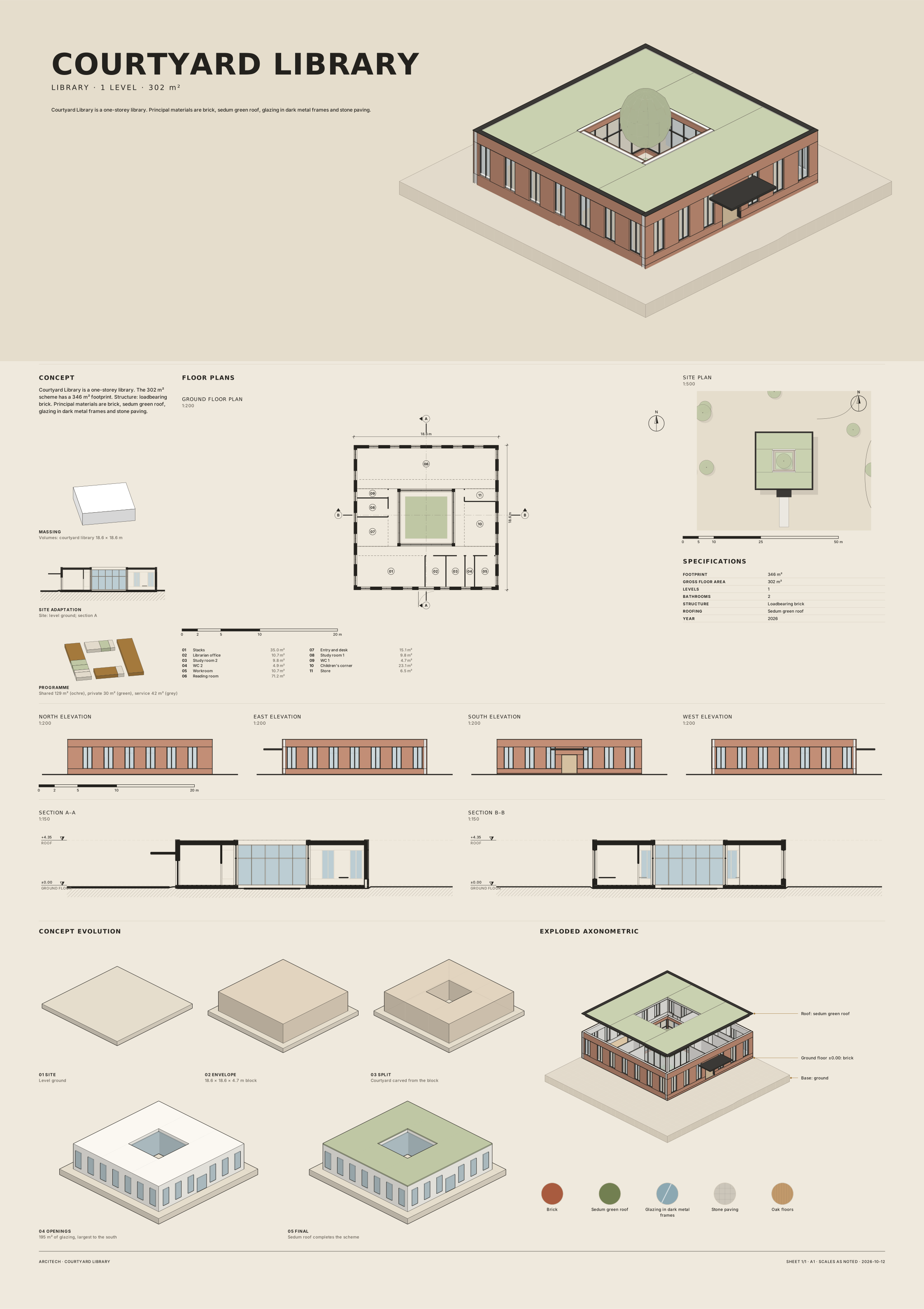
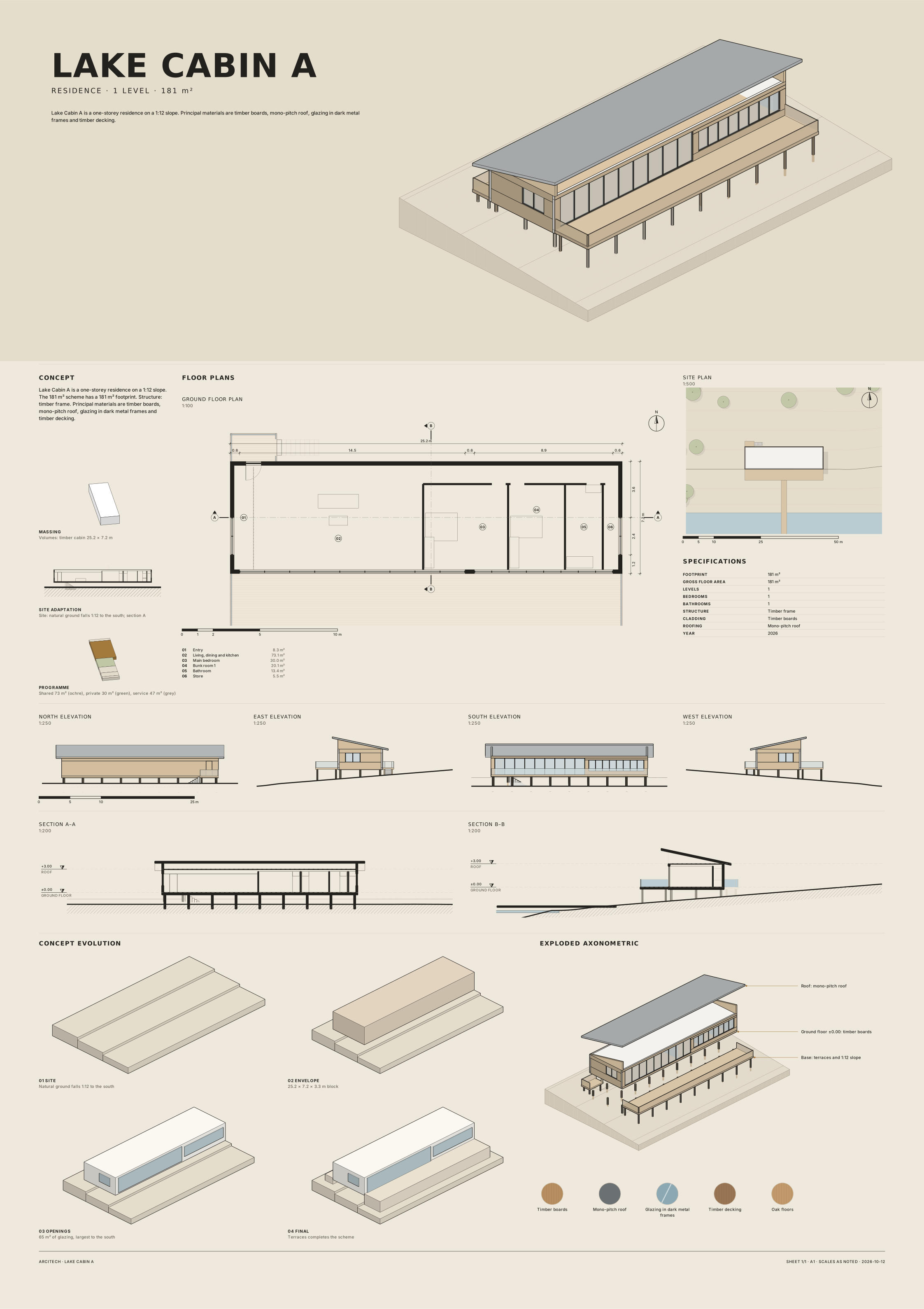
Drawn by Atelier: Hillside House, bedroom levelA 1:100 plan the local model drew on layers and checked before building: dimensions read back from the drawing, every room reached from the stair. Cleared at revision 5.Hillside House 2A1 competition board: plans, sections and elevations at 1:150 to 1:250, site plan, concept steps and an exploded axonometric, all drawn from the model. PDFCourtyard LibraryA1 competition board for a one-storey brick library around a planted courtyard. PDFLake CabinA1 competition board for a timber cabin on posts above a sloping lakeside site. PDF
Renders and wind
In the studio
Photoreal views and wind studies from our studio, made on our own computers. They are design aids shown as work in progress; the drawings stay the record.
Studio work · not in the early preview
A photoreal viewA photoreal view from our studio, made on our own computers.
A wind studyWind studies are early design guidance only, not engineering.
In the studio
From an image to a real-size piece
An interior is furnished one decision at a time. In our studio, a piece starts as a design image, becomes a 3D model with the same proportions and finish, and is then placed in a room at its true size, where it can be judged against the walls, the light and the people who will use it.
Studio work · not in the early preview
This is our own studio setup, shown as work in progress. It is not part of the early preview, which includes Vitruvius and the IngeTrazo connector.
Design image
3D model
Dining armchairCream bouclé on walnut legs.
Design image
3D model
Live-edge coffee tableA walnut slab on cast iron.
Design image
3D model
Cane dining chairWoven cane in a timber frame.
Design image
3D model
Velvet benchSage velvet on a brass frame.
Design image
3D model
Curved two-seat sofaBouclé on a dark timber plinth.
Placed at real sizeThe living area in IngeTrazo, every piece at its real size.
A furnished floor54 pieces across seven rooms, placed without a single clash.
Getting the geometry right
A model made straight from an image can look right and still be wrong: bowed panels, soft corners, drawers that do not line up. Where a piece is made of boards, we rebuild it from measured parts, so the drawers sit in true gaps and the legs stand straight.
First model
Rebuilt from parts
The bare geometry
Freestanding bathtub: the design image
The 3D model, surfaces cleanedCurved pieces are smoothed rather than rebuilt: the same shape, without the ripples.
Design images: Qwen-Image via ComfyUI. 3D models made from them on our own computers.
What it stands for
Built for the studio
01
You stay in charge
Every step is on screen. You can stop, change the plan or take over the software at any time.
02
Local first
It runs on your own hardware, so your work and the people you work for stay with you. A cloud model is there if you want one, never by default.
03
Made for designers
Built for architects, interior designers and students, with an interface that follows the way a studio works.
04
Open and credited
Atelier is built on DeepSeek Harness by DeepSeek-AI (MIT licence), and we say so wherever it appears.
What it runs on
What you need
Local
On your own computer
Atelier runs as a web app on your machine, with the model on your own graphics card, so nothing has to leave your office. It starts on as little as one 16 GB graphics card: there the models take turns, each loading when its job comes up; more cards or a model server keep them loaded side by side. We build and test it on one 32 GB Intel Arc Pro B70 running a 27B vision model.
Optional
Through the cloud
No suitable graphics card? Point Atelier at a cloud model instead: OmniRoute’s free tiers, or your own API keys. Your prompts and images then go to that provider, so choose it as you would any other service.
Any
Any model you like
Atelier does not include or require a particular model. Connect one through any OpenAI-compatible endpoint (it is tuned for Holo-style models), and change it at any time without changing how you work.
Guides
Getting started
Quick-start guide
Install, connect a model and ask a first design question, in a few minutes.
Atelier is released under the PolyForm Shield 1.0.0 licence. In plain words: it is free to use and to change, for yourself, your practice and your client work. What it does not allow is reselling Atelier, or using it to build a product that competes with it. The full text ships with the source.
 Drawn and checked · 1:100
 Built from the drawing · 3D